Deployment
Neotask can run anywhere, from your laptop to a Kubernetes cluster. Choose the deployment method that fits your needs.
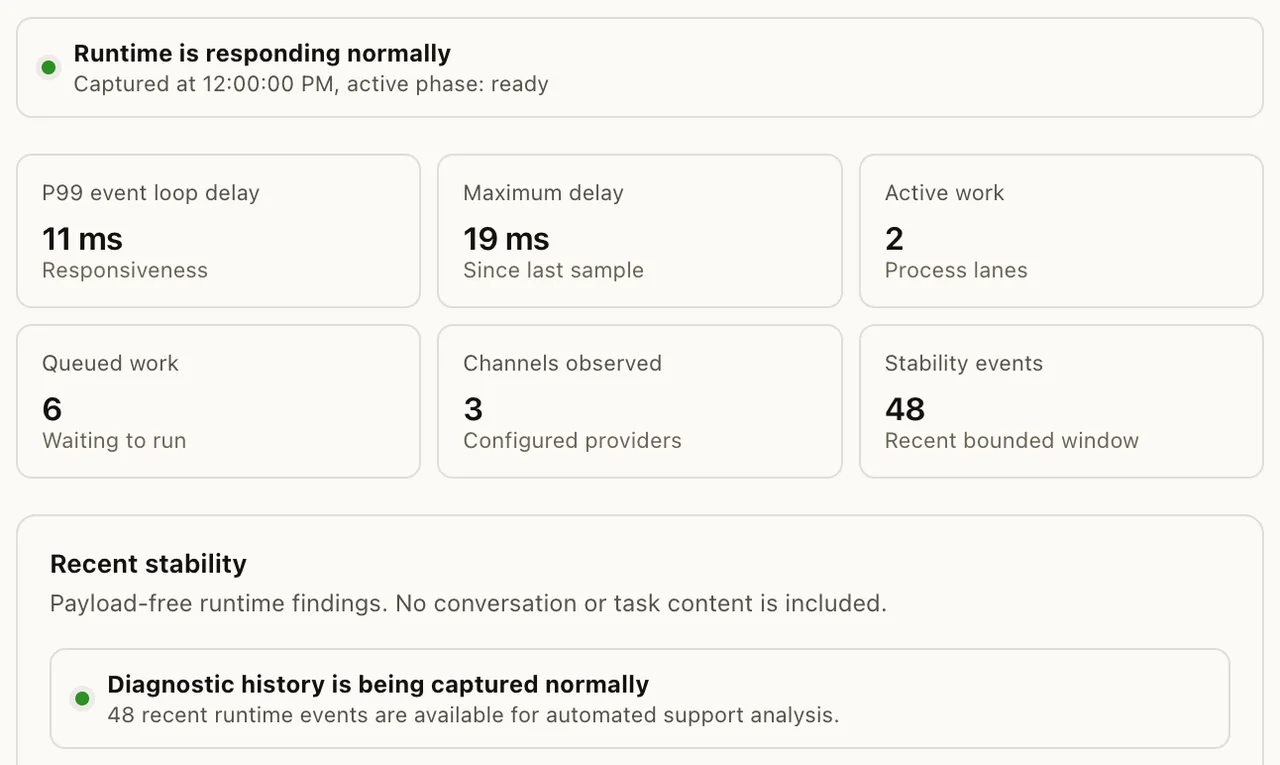
After deployment, open Settings → Gateway → Health in the desktop app. Confirm that the service, runtime, and connection checks pass before connecting channels or running agents.
Local Installation
The simplest way to get started. Install Neotask directly on macOS, Linux, or Windows (via WSL2). The Gateway runs as a background service managed by launchd (macOS) or systemd (Linux).
Requirements: Node.js 22+
What you get:
- Gateway running as a background service
- Automatic startup on boot
- macOS companion app (on macOS)
- All CLI tools
Docker
Run the Gateway in a Docker container with persistent config and workspace volumes. Ideal for VPS deployments or when you want isolation from your host system.
Features:
- Pre-built images based on Node 22 (Debian)
- Optional Chromium + Xvfb for browser automation (adds ~300MB)
- Docker Compose setup with persistent volumes
- Health check endpoint at
/health - Runs as non-root
nodeuser - Agent sandbox support (Docker-in-Docker for isolated execution)
Persistent State:
- Configuration:
~/.neotask/neotask.json - Workspace:
~/.neotask/workspace/ - Sessions:
~/.neotask/agents/*/sessions/ - Channel state:
~/.neotask/whatsapp/, etc.
Kubernetes
Deploy to Kubernetes using the StatefulSet pattern for persistent storage. Community-maintained Helm charts are available.
Typical setup:
- StatefulSet for the Gateway (persistent sessions and config)
- ConfigMap for
neotask.jsonconfiguration - Secret for tokens and API keys
- PersistentVolumeClaim for session data and workspace
- Service (ClusterIP or LoadBalancer) for WebSocket access
Fly.io
One-command deployment to Fly.io with persistent volumes and automatic HTTPS.
Features:
- x86 VM with configurable RAM (default 2048MB)
- Persistent
/datavolume for config and sessions - Automatic TLS termination
- SSH access for configuration
- Webhook support via ngrok (optional)
Hetzner VPS
Run on a dedicated Hetzner VPS with Docker Compose. Full infrastructure-as-code support with community Terraform modules.
Setup includes:
- Docker Compose configuration
- Persistent directories for config, workspace, and channel state
- Custom Dockerfile for baking in required binaries
- Firewall and security hardening
Render
Blueprint-based deployment on Render with automatic builds and 1GB persistent disk.
GCP Compute Engine
Docker-based deployment on Google Cloud with persistent disk and startup automation.
Podman
Rootless container execution with Podman and systemd Quadlet support. Ideal for environments where Docker daemon access is restricted.
Choosing a Deployment
| Need | Recommended |
|---|---|
| Just trying it out | Local install |
| Personal use on your Mac | Local + macOS companion app |
| Always-on server | Docker on VPS (Hetzner, DigitalOcean) |
| Production with scaling | Kubernetes |
| Quick cloud deploy | Fly.io or Render |
| Rootless containers | Podman |
Remote Access
By default, the Gateway only listens on localhost (127.0.0.1). For remote access:
- Tailscale, VPN mesh network with automatic DNS. The Gateway can bind to your Tailnet for secure access from anywhere. Tailscale Serve can expose the dashboard with HTTPS.
- SSH Tunnel, Forward the Gateway port through SSH for secure remote access without exposing ports.
- LAN Bind, Bind to your local network for access from other devices on the same network. Automatic discovery via Bonjour/mDNS.
See Gateway for configuration details.