Sessions & Memory
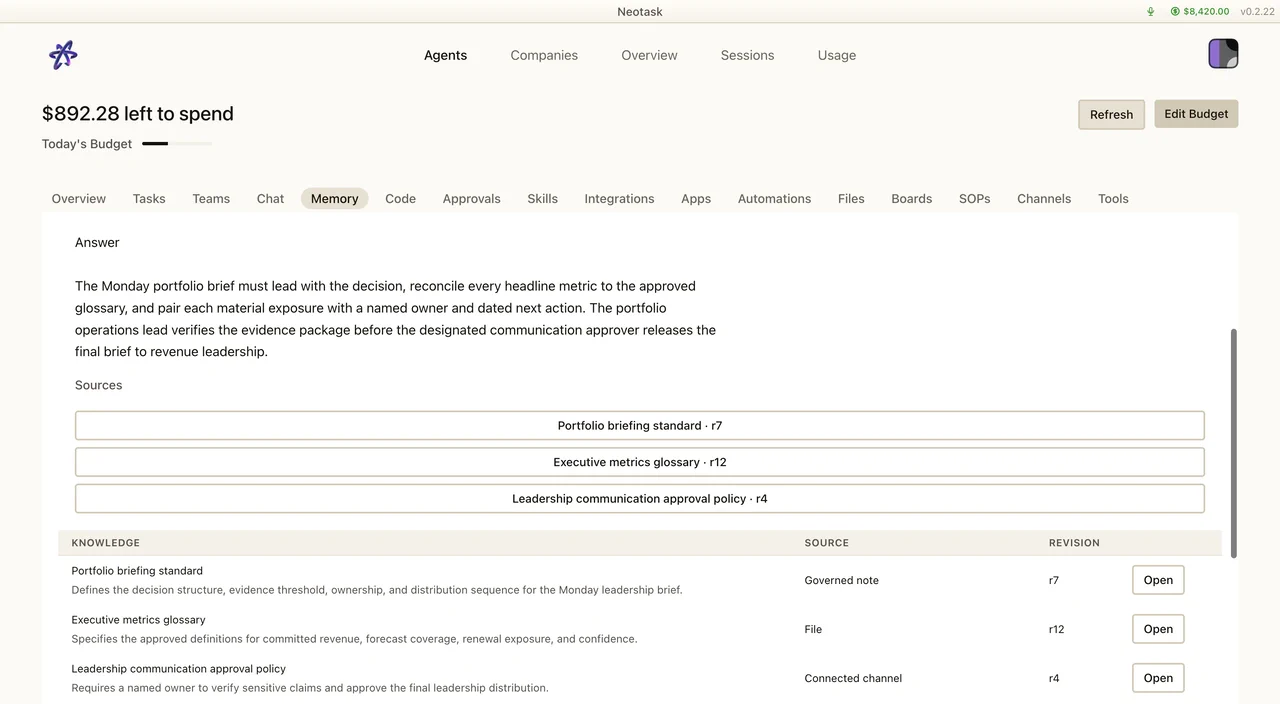
Trace An Answer Back To Its Source
- Open Memory.
- Search for the decision, customer, project, or result.
- Open a matching source to see the cited evidence.
- Open Sessions when you need the full conversation and tool history.
Sessions
How Sessions Work
Every conversation with an agent happens in a session. Sessions are identified by keys that encode the context, which agent, which channel, which chat.
Sessions maintain a complete transcript (append-only JSONL) of all messages, tool calls, and results. This transcript is what gives agents context about the ongoing conversation.
Session Keys
Sessions are routed automatically based on context:
| Pattern | Meaning |
|---|---|
agent:main:main |
Main direct conversation |
agent:<id>:<channel>:group:<id> |
Group chat on a specific channel |
agent:<id>:<channel>:channel:<id> |
Channel/room conversation |
cron:<jobId> |
Scheduled job execution |
hook:<uuid> |
Webhook-triggered execution |
Session Lifecycle
- Daily reset, Sessions automatically reset at a configurable time (default 4 AM local). This creates a fresh conversation context each day while preserving history.
- Idle expiry, Sessions that haven't been active for a configurable period can auto-reset.
- Manual reset, Start fresh anytime with a
/newor/resetcommand.
Token Tracking
Sessions track cumulative token usage (input, output, cache read, cache write) for cost monitoring and context window management.
Compaction
What Is Compaction?
When a conversation approaches the model's context window limit, Neotask compacts it, summarizing older messages into a condensed overview and starting a new session with that summary plus recent messages.
How It Works
- Detection, Monitor context usage (default trigger: 80% of context window)
- Summarization, Older messages are summarized into a compaction entry
- New session, A fresh session starts with the summary injected at the top
- Preservation, Old transcripts are preserved for history but no longer loaded into context
Configuration
- Enabled/disabled, Toggle auto-compaction
- Threshold, Percentage of context window that triggers compaction (default 80%)
- Minimum messages, Don't compact if there are fewer than N messages
Manual Compaction
You can trigger compaction manually at any time with the /compact command. This is useful when you want to reset context without losing important information.
Memory
Agent Memory
Each agent has a memory system for persisting important information across sessions:
- MEMORY.md, A markdown file in the agent's workspace where important facts, preferences, and context are stored
- Memory directory, Additional files in
memory/for structured knowledge
Vector Search
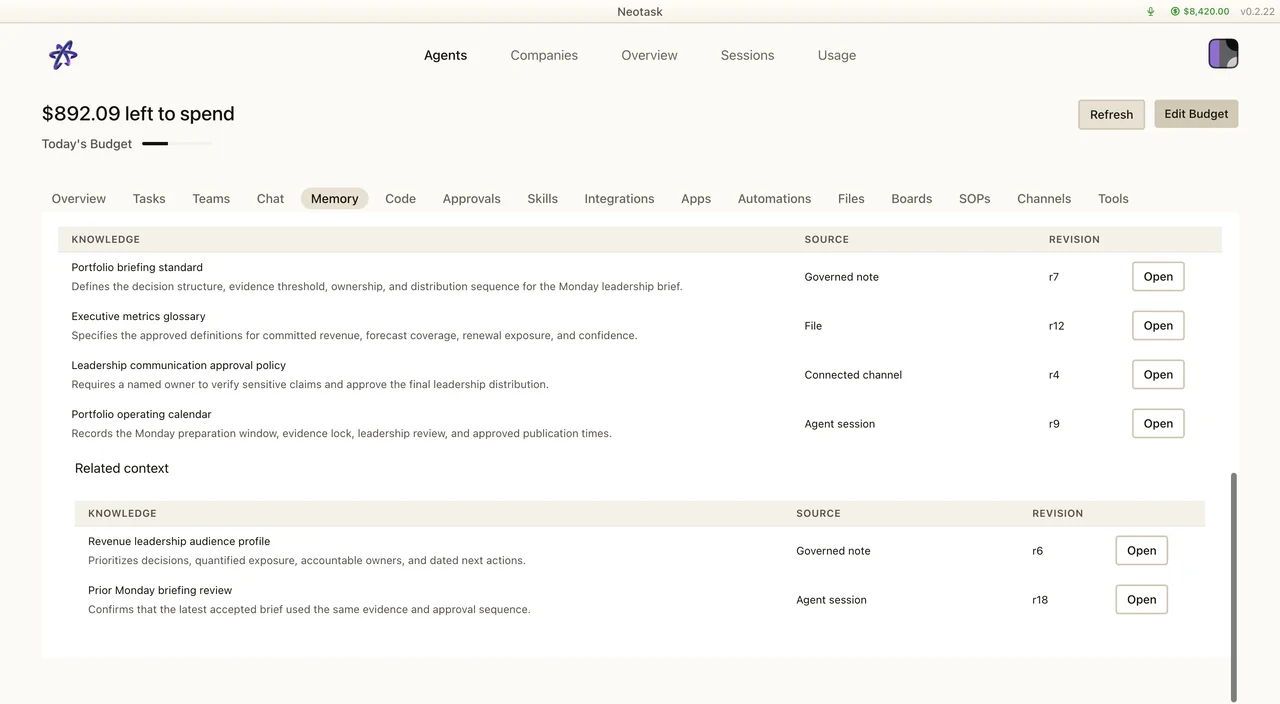
The results table lists the evidence returned for a memory search. Open a result to inspect its source before relying on it in a session.
Neotask supports vector similarity search over agent memory:
- Indexing, Memory files are indexed using embeddings
- Search, Agents query memory with natural language ("What did the user say about their API preferences?")
- Recall, Relevant memories are returned ranked by similarity
Memory Plugin (LanceDB)
The LanceDB memory plugin provides advanced vector storage:
- Persistent vector database
- Configurable chunk size and overlap
- Efficient similarity search
- Automatic re-indexing when memory files change
Automatic Recall
At session start, relevant memories can be automatically recalled and injected into the agent's context. This gives agents continuity across sessions without loading entire conversation histories.
Session Persistence
All session data is stored locally:
- Session metadata,
sessions.jsontracks active sessions, last activity, token counts, and config - Transcripts, Individual session transcripts stored as
.jsonlfiles - Recovery, Sessions survive Gateway restarts without data loss
Cleanup
- Sessions not accessed for a configurable period (default 30 days) are eligible for cleanup
- Manual session management is available through the UI or API
- Compacted transcripts are archived but can be reviewed