Neotask Support Routing Overview
Route By Product Surface
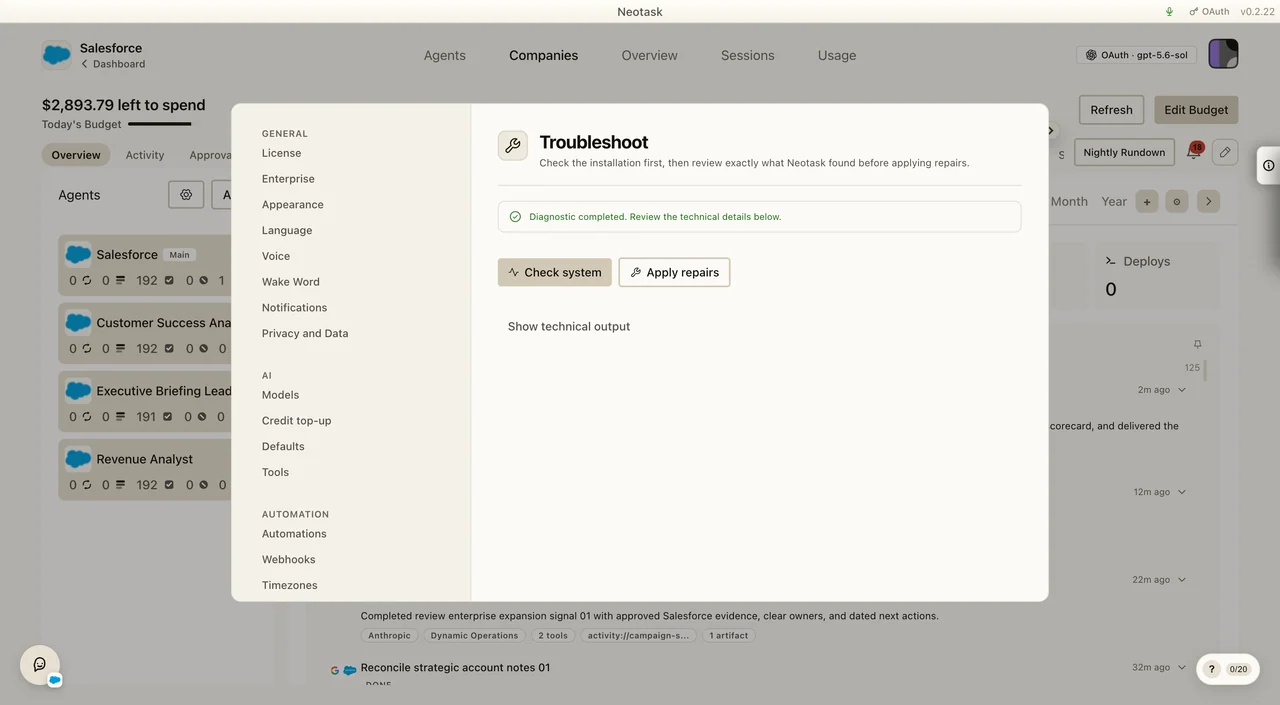
Troubleshoot owns runtime and connection problems. Apps owns authentication. Usage and Billing own cost questions. Company Approvals owns work waiting on review.
Neotask support line is designed to help callers get to the right support path quickly.
Support Routing Model
There are two top-level access modes:
guest supportmember support
Guest support is for callers who are not yet recognized as a saved member or employee phone number. Member support is for callers whose number matches a saved tenant voice route or active company employee record.
General Support Scope
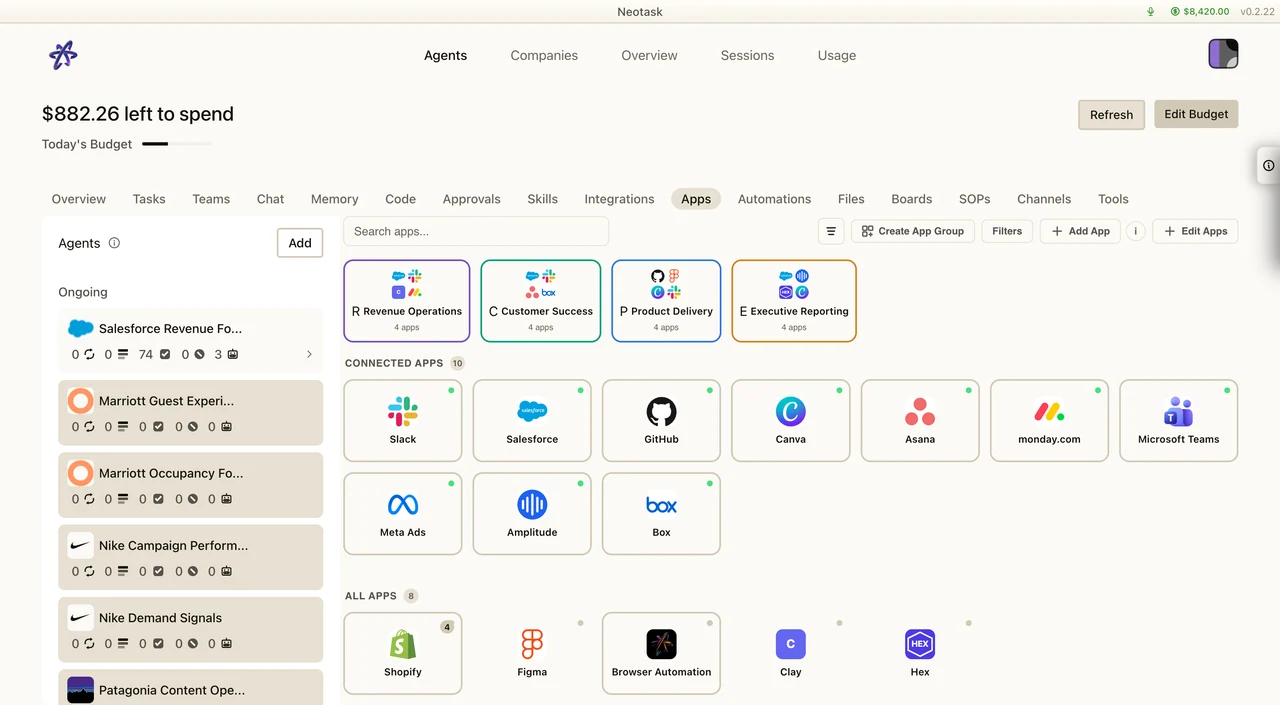
App authentication questions begin in the app catalog. The connected state shown on the card determines whether support should reconnect the app or investigate a later runtime failure.
General support can help with:
- sign-up friction
- checkout and payment problems before activation
- where to log in or start
- public troubleshooting docs
- basic app installation guidance
Member Support Departments
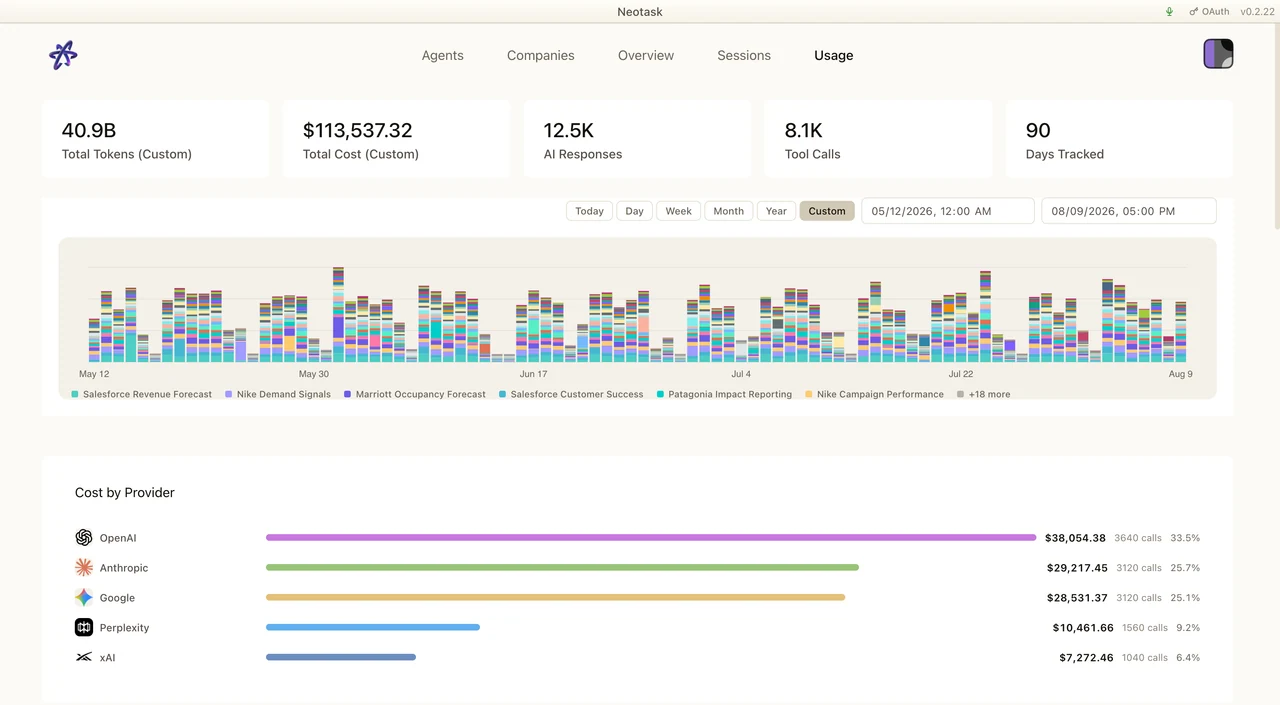
For usage or cost questions, open Usage and select the caller's date range before reviewing the provider and model records.
Recognized member callers can be routed into these departments:
App setup and troubleshootingMCP auth and OAuth setupBilling and account accessTeams, channels, automation, and enterprise support
Recognition Rules
Support recognizes member callers from these saved product records:
- active company employee phone numbers
- saved tenant
voice_callroute phone numbers - saved company
voice_callroute phone numbers
If a phone number matches more than one record, support may continue with general support first and then move into the right account path once the workspace is confirmed.
Route Outcomes
Calls should end in one of these support outcomes:
- resolved live on the call
- resolved with follow-up SMS
- requires manual follow-up
- scheduled support session
- escalated to human support
- caller disconnected before resolution