Neotask Authenticated Support Access
Account Screens Support May Ask You To Open
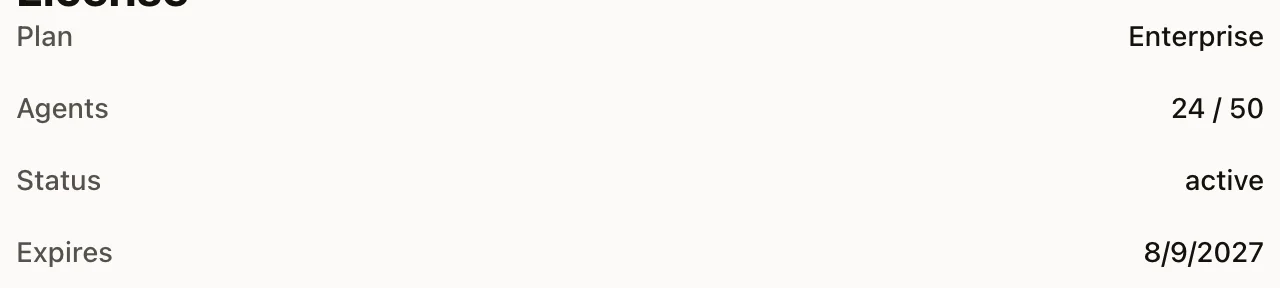
Use Settings → License for account and plan status. Use Usage for model and cost records. Open a session for its full conversation and tool history.
This page is a supplemental deep dive. If you want the full one-page overview of what the support agent can do, start with Neotask Support Call Agent.
This page explains what changes when Neotask support call agent is working with authenticated member support context instead of general support only.
If you want the short version:
- guest support can help with public guidance and basic triage
- authenticated member support can work from your real account, workspace, and support context
Support Number
To reach the support call agent, dial:
+1 (331) 296-2762
If your phone number is already linked to your account, support can often move into member context much faster.
What Authenticated Support Means
Authenticated support means the support call is no longer limited to general support guidance.
Instead, the support agent can work from the account and workspace context tied to the support session, including the specific tenant and, when needed, the specific company or sector you are calling about.
That is what turns the support line from a generic phone assistant into a real account-aware support specialist.
What Authenticated Support Can Do
Once support is in authenticated member context, it can help with:
- your actual plan and subscription state
- your real balance, credits, and top-up state
- your recent usage and cost direction
- your employee-seat and company or sector allowance state
- your recent sessions and recent job activity
- your recent approvals or requires-action state
- your recent automation failures
- your recent gateway runtime issues
- your recent desktop-app runtime issues that were reported to the platform
- relevant support notes, memories, and prior context
- relevant transcript excerpts or bounded file previews when the issue clearly depends on them
- the likely cause of recent failed workflows, jobs, sessions, or company automations
This is the level where support can often explain what happened without making you manually reconstruct everything.
What It Can Pull Into A Support Session
Depending on the issue, authenticated support can pull in:
- live billing and subscription context
- recent sessions and workflow activity
- recent approvals and automation failures
- recent gateway and app runtime errors
- recent log excerpts connected to the failure
- relevant support notes and support history
- relevant workspace notes and company notes
- relevant transcript excerpts when the issue depends on what happened during a session
- relevant file or artifact previews when the output itself is the problem
This is what allows the support line to troubleshoot dynamically instead of only repeating documentation.
Example Questions That Authenticated Support Should Be Able To Answer
Billing and usage
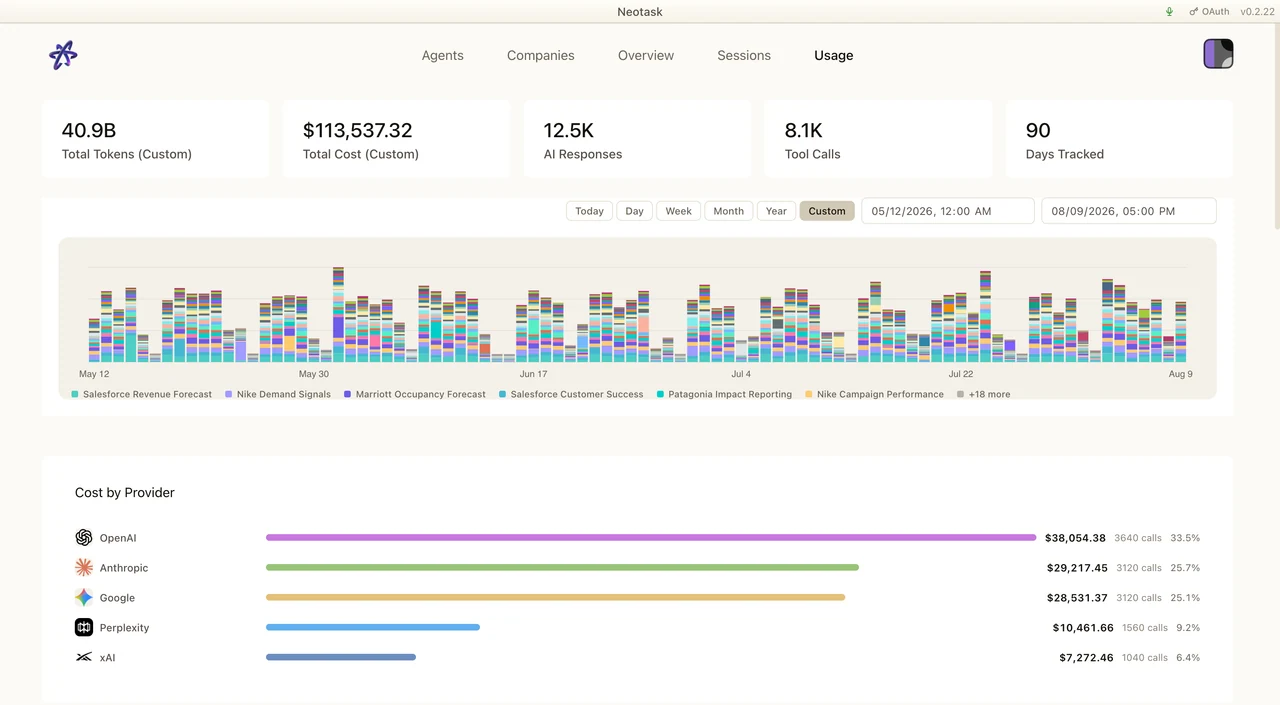
Open Usage when the question concerns model activity, agent attribution, or cost. Select the relevant date range before reading the record back to the caller.
- “Tell me my current plan, credit state, and recent usage.”
- “Check whether billing is the reason my account feels blocked.”
- “Look at my subscription state and tell me if anything is wrong.”
Recent failures
- “Check what failed recently.”
- “Look at my recent automation failures and explain the likely cause.”
- “Do you see any recent gateway or runtime errors?”
- “Check the recent logs and tell me whether this was an auth problem or a runtime problem.”
Session and workflow support
- “Look at my recent session and tell me why it stopped.”
- “Check whether approvals are blocking this workflow.”
- “Look at the recent jobs for this company and tell me what failed.”
- “Check whether this route or schedule was blocked before it ever ran.”
Company-specific support
- “Help me with the marketing company first.”
- “Now switch to the operations company and check that one too.”
- “Compare what failed between the two companies.”
Context-heavy troubleshooting
- “Look at the recent support notes before I explain this again.”
- “Check the relevant memory or workspace notes for this company.”
- “Preview the relevant output file because that is the thing that broke.”
What To Ask For If You Want The Best Results
If you want the best member-support help, say exactly what you want it to inspect.
Examples:
- “Check my recent billing and tell me if anything is blocking me.”
- “Look at my last failed automation and tell me the likely cause.”
- “Check my app runtime errors from today.”
- “Look at the recent support notes for this company.”
- “Preview the relevant file output because it is malformed.”
That phrasing tells the support agent which context to load instead of making it guess.
When It Will Create A Support Case
Some issues still need follow-up.
When that happens, the support agent can:
- summarize what it already found
- create a support case
- preserve the context for the next step