Neotask Code: Safety and Approvals
Review A Sensitive Command
- Read the command and the reason it was flagged.
- Check the project and working directory.
- Approve only when the target and effect are correct.
- Deny the request when the scope is broader than intended.
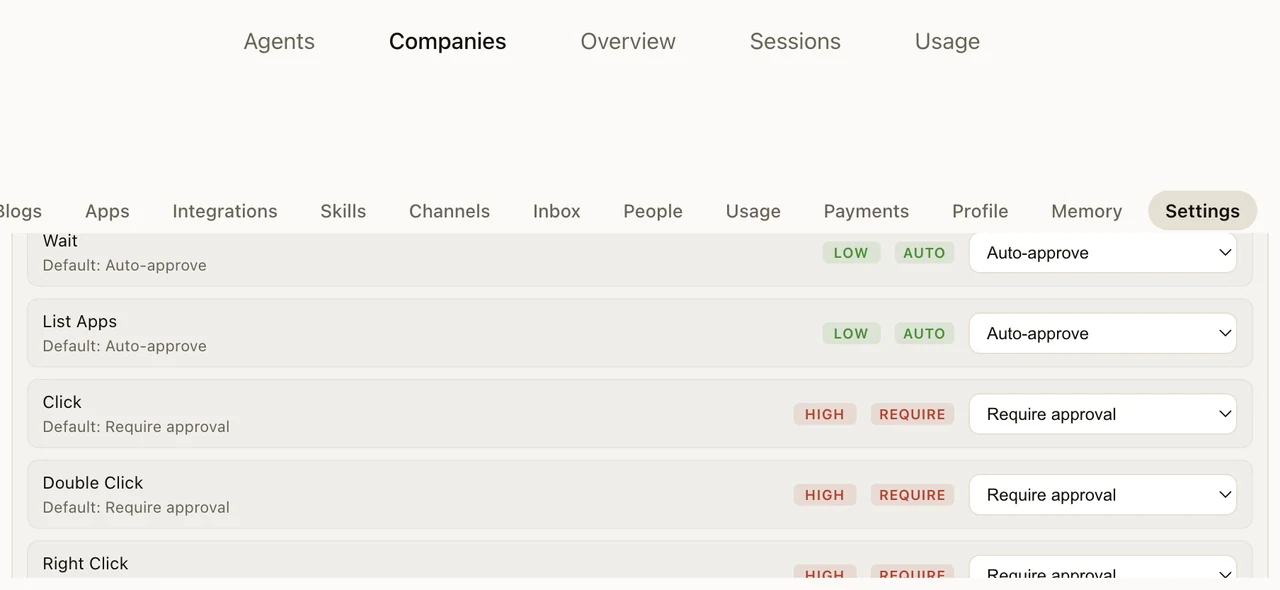
Neotask Code is designed to move fast on the routine work of coding while stopping to ask you before anything with real consequences. It does this with a clear rule: safe, everyday actions inside your project run on their own, and anything risky, anything that reaches outside your project, or anything the system cannot confidently classify pauses for your approval. The default is to ask when in doubt.
This page explains what runs freely, what asks first, and the boundaries that keep the agent contained. For the overall feature, see Neotask Code.
What Runs Freely, and What Asks First
A coding conversation is something you start and watch. So that it does not stall on every small step, Neotask Code lets the ordinary parts of coding run without an approval prompt, while keeping a gate in front of everything that could affect systems or data outside the immediate work.
Runs on its own, inside your project workspace:
- Reading, searching, and listing files in the project.
- Writing and editing files in the project.
- Read-only inspection commands (for example listing files or printing file contents).
- Common build, test, and lint commands, so the agent can check its own work as it goes.
Asks for your approval first:
- Git and GitHub actions that change your repository or push, such as pushing, publishing a repository, or opening a pull request. Force and destructive git operations require an explicit, higher-level approval, and some especially dangerous git overrides are blocked outright.
- Network access to anything outside your project.
- Installing or publishing packages.
- Destructive operations.
- Any command that tries to reach a file outside the project workspace.
- Anything the system cannot confidently classify as safe.
This last point matters: the system fails closed. If a command does not clearly fall into the safe set, it is treated as needing approval rather than being allowed through.
Destructive Command Guard (Shipping Soon)
Beyond the approval rules above, Neotask Code is adding a dedicated guard for catastrophic, irreversible commands. It sits in front of your approval settings, not inside them: certain classes of command are stopped before they can ever be offered as something to approve.
Blocked outright, in every mode, with no approval that can allow them:
- Deleting files or folders outside your project workspace, anywhere on your computer.
- Erasing or reformatting a disk.
- On Windows, the equivalent system-destroying commands, such as deleting shadow copies or formatting a drive.
- Destructive commands hidden inside a script or an inline command, not just ones typed directly.
Escalates to your approval settings instead of running:
- Dropping or wiping a database.
- Tearing down cloud infrastructure, containers, or clusters.
- Deleting secrets or credentials.
These are serious actions that are sometimes exactly what you intend, so rather than blocking them outright, the guard routes them to your normal approval flow so you can confirm before anything happens.
Always on in Fully Autonomous mode. Even when a company runs with the least approval friction, the guard's outright-blocked commands stay blocked. No autonomy setting, and no always-approve rule, can allow a catastrophic command to run unattended. See Approvals and Safety for how autonomy modes work.
Never silent. Whenever the guard stops a command, it always shows up as a visible, labeled entry in the conversation, explaining what was blocked and why. A blocked command is never dropped quietly in the background.
This capability is shipping soon. Until it ships, the approval rules described above are what govern destructive and out-of-workspace commands.
Always Approve
When an approval appears, you can approve it once, or choose to always approve that kind of action so similar actions in the future run without prompting you again. This lets you keep tight control at first and loosen it for the specific actions you have come to trust, without turning off oversight everywhere. Approvals wait for you; they do not silently expire or auto-decide on your behalf.
How Coding Fits Your Autonomy Settings
The approval detail names the app, scope, owner, and review window before the action is released.
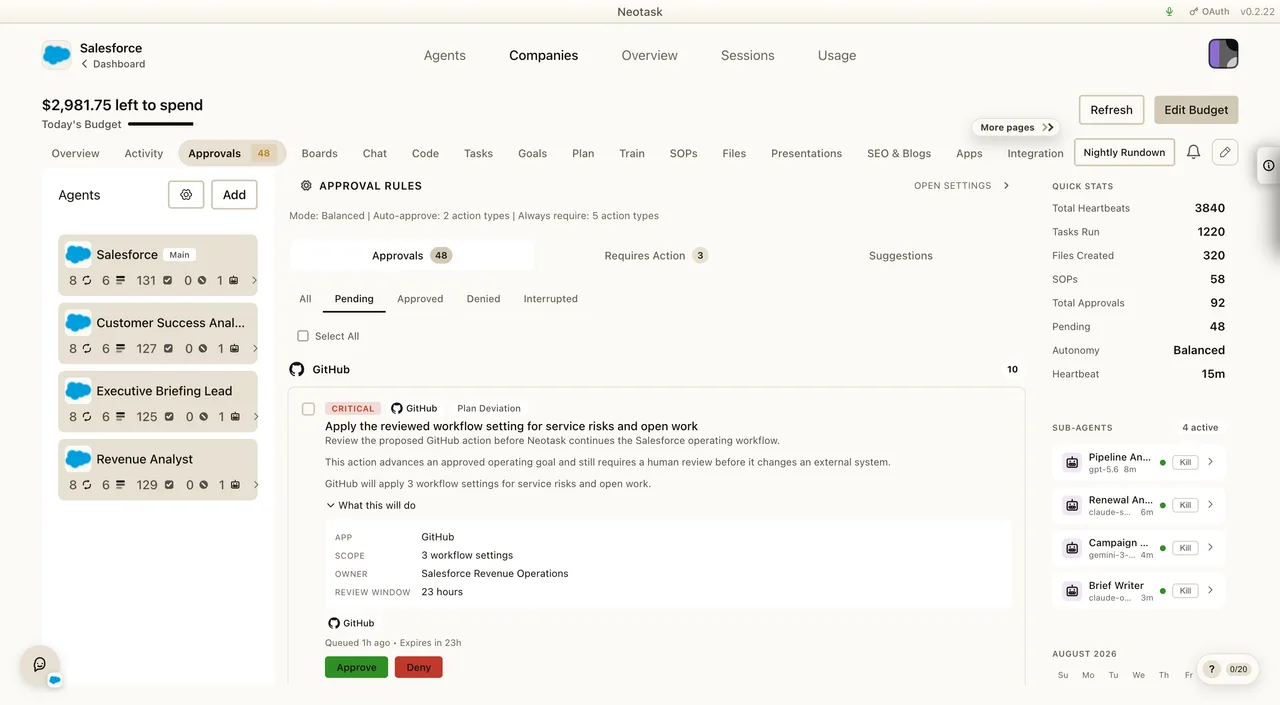
Coding respects the same approval and autonomy controls as the rest of Neotask. The approval settings that govern how much the AI can do on its own, from fully supervised to more autonomous, apply to coding work too, so coding does not become a way around the oversight you have set elsewhere. See Approvals and Safety for how those approval modes work across the platform.
The Agent Stays Inside the Project
Every coding project is a contained workspace on your computer, and the agent cannot touch files outside it.
- File reads, writes, and edits are confined to the project's own folder.
- Any command argument that points at a path outside the project workspace is stopped and sent for approval rather than being run.
- Attempts to escape the workspace, for example by referencing a parent directory or an absolute path outside the project, are caught before they run.
The result is that a coding conversation can only affect the one project you are working on. It cannot wander into the rest of your files.
Browser Access Is Limited to Your Own Dev Server
When a project runs a local development server, the agent can open a browser view of that server to check its own work, for example to see the page it just built. That browser access is deliberately limited:
- It can open your project's own development server on your computer (a local loopback address, on any port) or simply look at the page already open.
- It cannot navigate to an external website on its own. Any attempt to visit a different, outside address pauses for your approval first.
So the browser is there to preview what the agent is building, not to browse the open internet unsupervised.
Version Control Is Your Safety Net
Beyond approvals, git and checkpoints give you a way back.
- Checkpoints. Neotask Code can capture a checkpoint of the project as a known-good point. If a change goes somewhere you do not want, you can restore the project to an earlier checkpoint.
- Commits and branches. Because the agent works with real git, your committed history is a durable record, and you can keep experimental work on a separate branch or working copy so your main line of work stays clean. See Neotask Code: Git and GitHub.
Your Push Identity Stays Yours
Pushes and pull requests use the specific GitHub account you connected for that project, and commits the agent makes on your behalf are attributed clearly. Neotask does not change your machine's default GitHub account behind your back, and it does not push under an identity you did not choose. See Neotask Code: Git and GitHub for how accounts are connected.