Auto, Apps, Integrations & Files
This guide covers the company-level connection and knowledge surfaces that users most often confuse:
- Apps
- Integrations
- SOPs
- Files
- related company data tabs such as Channels, Employees, Profile, Skills, Memory, and Usage
The Core Split
The company dashboard intentionally separates connection surfaces.
Apps
Use Apps for company-scoped app connections and app recommendations.
This is the right place for app-style providers and company app groups.
Integrations
Use Integrations for company-scoped Google Workspace services and similar built-in company integrations.
This is the right place for:
- Gmail
- Google Calendar
- Google Docs
- Google Sheets
- Google Drive
SOPs
Use SOPs for operating guidance and reference material that teaches the company how you want it to work.
Files
Use Files for the documents and artifacts the company already has or creates over time.
Apps: What You Manage There
The current Apps tab is the company’s main app-management surface.
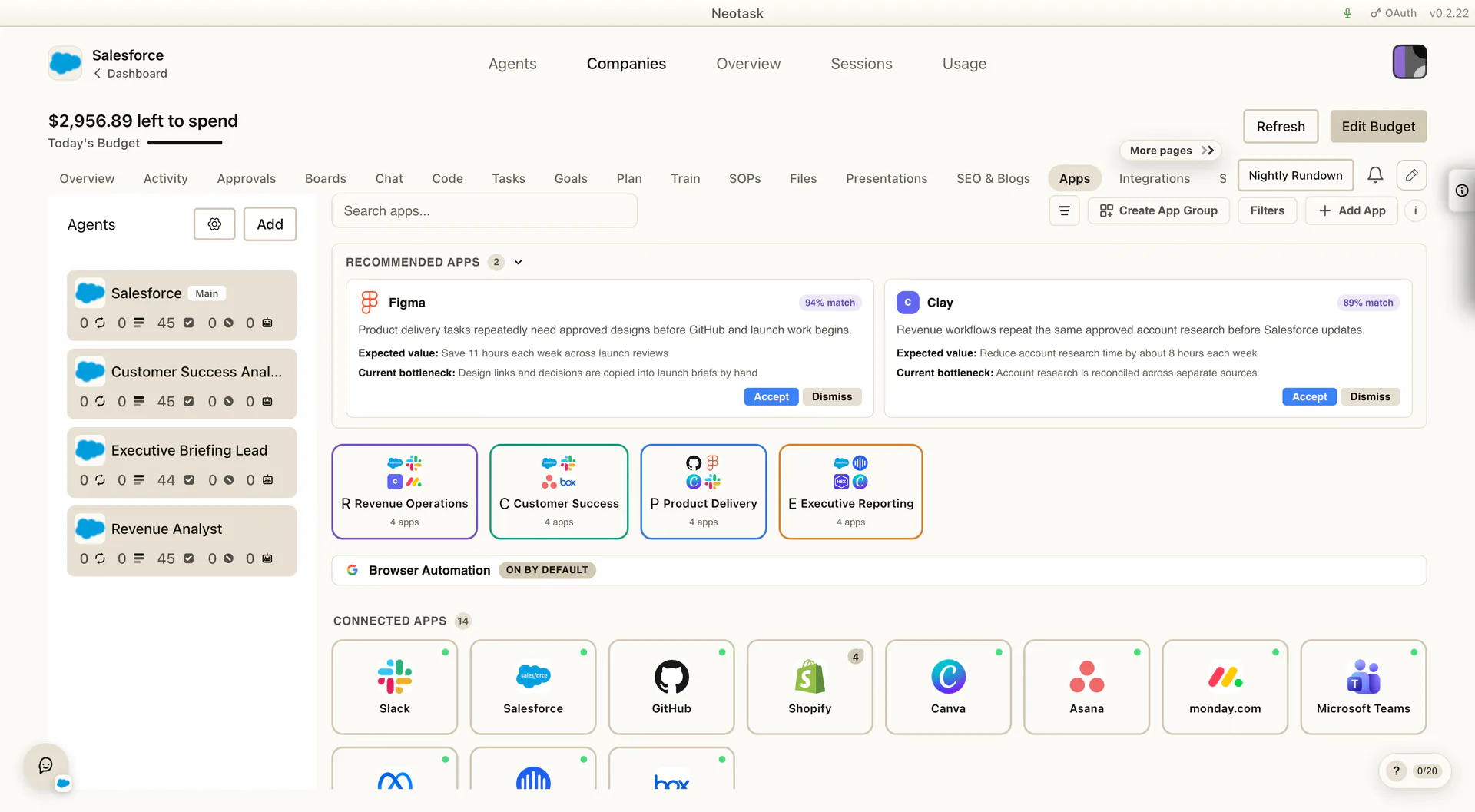
Use it to:
- review recommended apps for the company
- connect or reconnect company-scoped apps
- organize app groups
- reuse those app groups when you assign tools to tasks
This is where app connections belong when the company needs a provider like a business tool, sales tool, support tool, or workspace tool that is not part of the built-in Google integration lane.
Integrations: What You Manage There
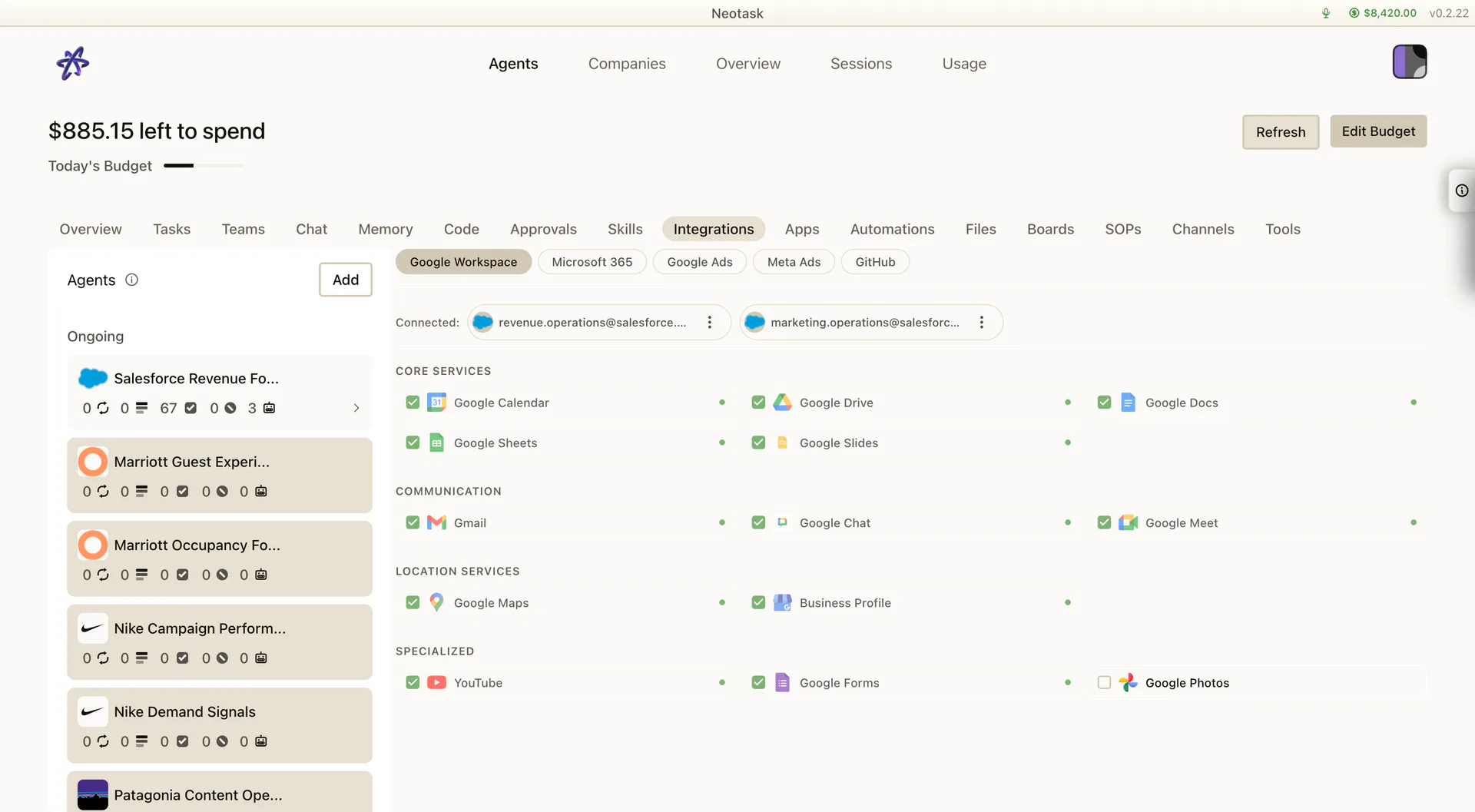
The Integrations tab is the company’s Google Workspace surface.
Use it to:
- connect company email access
- connect company calendar access
- connect company document access
- reconnect an existing Google account for that company
- choose whether the company should use one already connected account or add a new one
If a company plan depends on Google tools, this is the place to make sure they are attached to the company correctly.
SOPs: What Belongs There
The SOPs tab is for the reference material that defines how the company should operate.
Typical examples:
- playbooks
- internal procedures
- checklists
- brand or process guidance
- operational reference docs
This is the best place to upload the knowledge you want the company to follow consistently.
Training mode can reuse that company guidance, but the files created during task training are reviewed inside Train, not managed as general SOP uploads.
Files: What Belongs There
The Files tab is for the broader company file library.
The current tab supports:
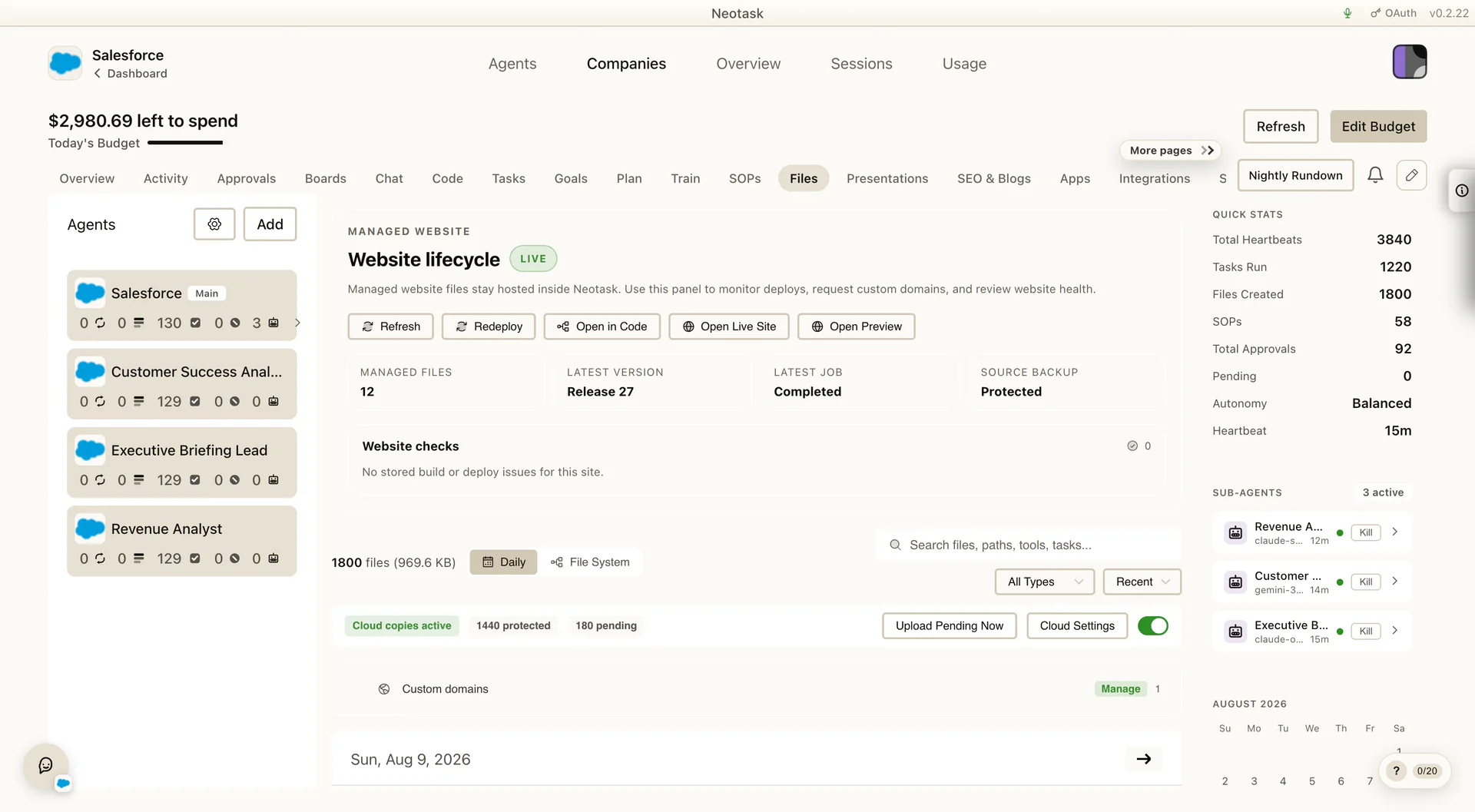
- daily view
- filesystem view
- search
- sort and filter controls
- preview
- download
This is where users usually go when they want to review:
- generated files
- uploaded documents
- company file history
- website-related files
- reference exports produced during onboarding or later runtime work
This is different from the training bundle review. Training creates task-specific guidance files for one task run, while Files is the broader company file library.
Managed Website Support In Files
If a company is using a generated or managed website, the Files tab becomes even more important.
That surface can include website-related state such as:
- preview and live website links
- current website status
- domain state
- website file state
- website source editing and related website management controls
- status/error visibility and save/redeploy actions
So for companies that need a website, Files is not just a document browser. It becomes part of the website operations surface too.
Other Related Company Data Tabs
These tabs complete the same operating system even though they are not the primary connection surfaces:
Employees
Use Employees for real people tied to the company and for the routing details that help the company know who to involve.
Channels
Use Channels for the delivery endpoints the company can use, including messaging routes and company call-routing surfaces.
Profile
Use Profile for company identity, website details, logo, company stage, and other core profile fields.
Skills
Use Skills for the company’s skill-management surface.
Memory
Use Memory for long-lived company context, including boot memory, categories, semantic memory indicators, and generated memory files.
This is where the user refines persistent company context rather than only reviewing one live chat or one task.
Usage
Use Usage for company-level cost and activity measurement over time.
Quick Decision Rule
Use this rule when you are not sure where to go:
- if you are connecting a company app or reviewing company app recommendations, use Apps
- if you are connecting Gmail, Calendar, Docs, Sheets, or Drive for one company, use Integrations
- if you are uploading operating guidance, use SOPs
- if you are rehearsing one task and reviewing the guidance files it generated, use Train
- if you are trying to preview, download, search, or review the company’s files and generated artifacts, use Files